Price fresh goods by weight
Use supported weight-label scanning, manual weight entry or a compatible direct scale connection. Review the unit, tare and final price.
Give fresh-counter sales the detail they need. Keep weight, product identity and replenishment clear from the delivery to the customer’s basket.
Use supported weight-label scanning, manual weight entry or a compatible direct scale connection. Review the unit, tare and final price.
Track stock by product and location. Use counts, transfers and stock history to understand what sold, moved or needs replenishing.
Create purchase orders and compare received quantities with the order. Record stock at the receiving location.
Start with your catalog and locations. Configure the relevant tools below, then test a complete sale or service visit with your team before your first trading day.
Price fresh goods by weight · Know what is on the shelf · Check deliveries before they reach the shelf
Configure your catalog, staff permissions and locations around the way your team works. Check the plan, device and country requirements for the features you choose. Direct scale connection is not available on iPad or iPhone. Check the exact scale, label format and connection before choosing hardware.
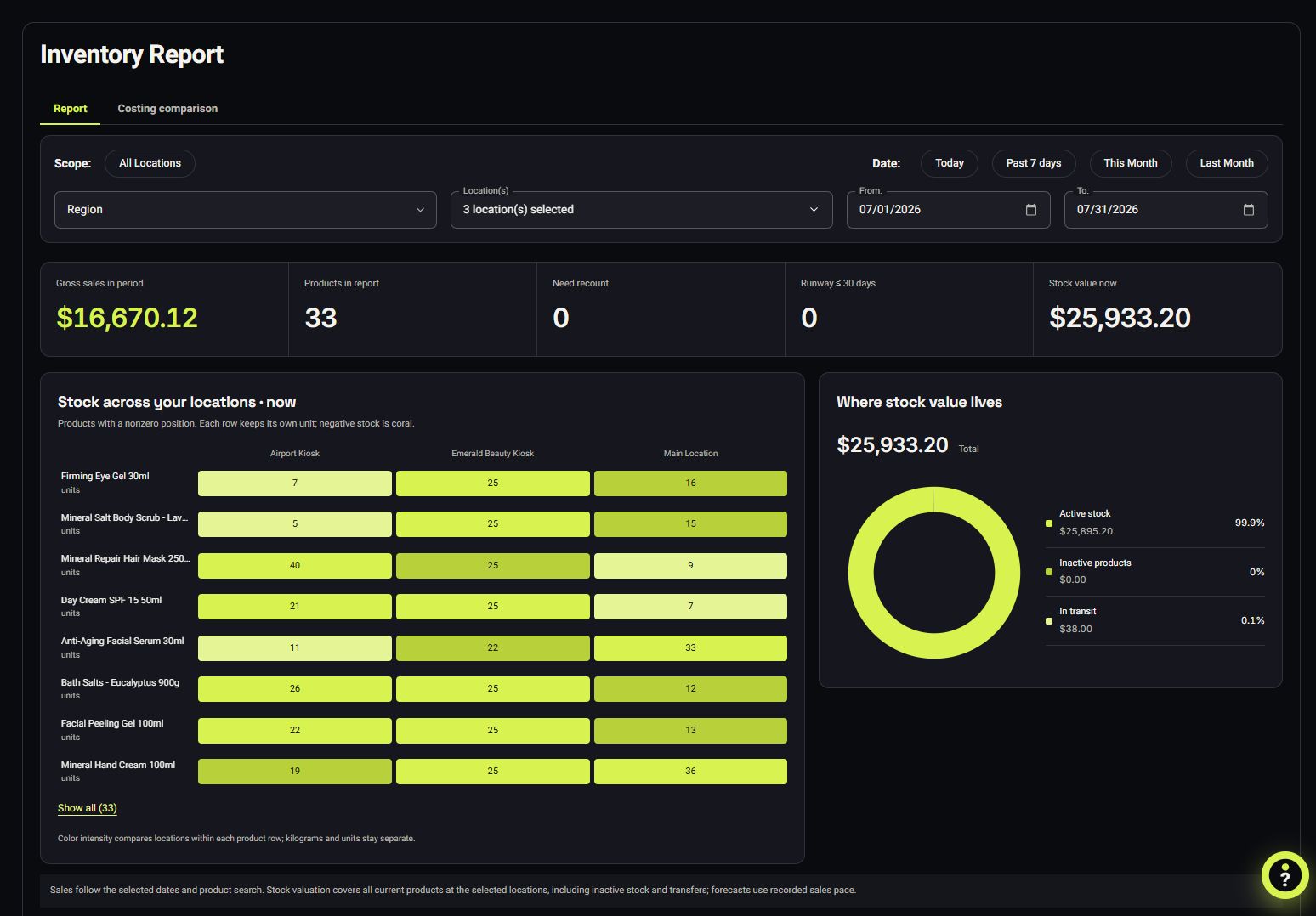
VoVi inventory by location: product quantities and stock value.
Genuine VoVi screen shown in English. Products, people, prices and transactions are fictional demo data.
View the full-size screenSoftware and browser requirements reviewed 26 October 2026. Exact hardware certification has not been established by this review.
| Method | What VoVi receives | What your setup needs |
|---|---|---|
| Weight-label scanning | A supported barcode containing the configured product and weight or price information | A matching label format, product rules and a scanner that works with the device |
| Manual weight entry | The weight entered by the cashier | Correct unit and tare settings, with the cashier checking the final price |
| Direct scale connection | A reading from a compatible connected scale | The exact supported protocol and connection, a compatible browser or bridge, and verification with your device; unavailable on iPad and iPhone |
Weighted pricing requires Pro. Software support is not certification of a legally compliant weighing installation.
VoVi is available in the United States, Canada, the United Kingdom, Ireland, Luxembourg, Switzerland, Australia, New Zealand, Singapore, Hong Kong, Japan and South Africa. Website language does not change country availability.