The completely free point of sale. $0/mo.

2.79% flat when you take a card — or we match the rate you already pay. Either way, the POS is completely free. A full register for any retailer — from a single cart to a chain of stores.

$0/mosoftware, forever — not a trial
2.79% flator we match your rate — Amex 3.5%
No contractno minimums, no exit fee

Get set up on VoVi

VoVi is in private beta with US stores. Leave your details and we'll set your shop up with you — products, staff, locations — on one call.

Please tell us your name.

That phone number doesn't look complete.

That email doesn't look right — or leave it empty.

By submitting, you agree to our Terms and Privacy Policy and consent to VoVi contacting you by phone, text, or email about VoVi. Consent is not a condition of purchase; message rates may apply.

You're on the list!

We'll call you as onboarding opens up. Talk soon.

A kiosk seller hands a customer her shopping bag across a mall cart counter — a tablet register propped beside the till.

From a single cart to a chain of stores

Negotiated prices, fast lines, commissioned sellers, stock in more than one place — one register that fits a cart, a shop or thirty stores.

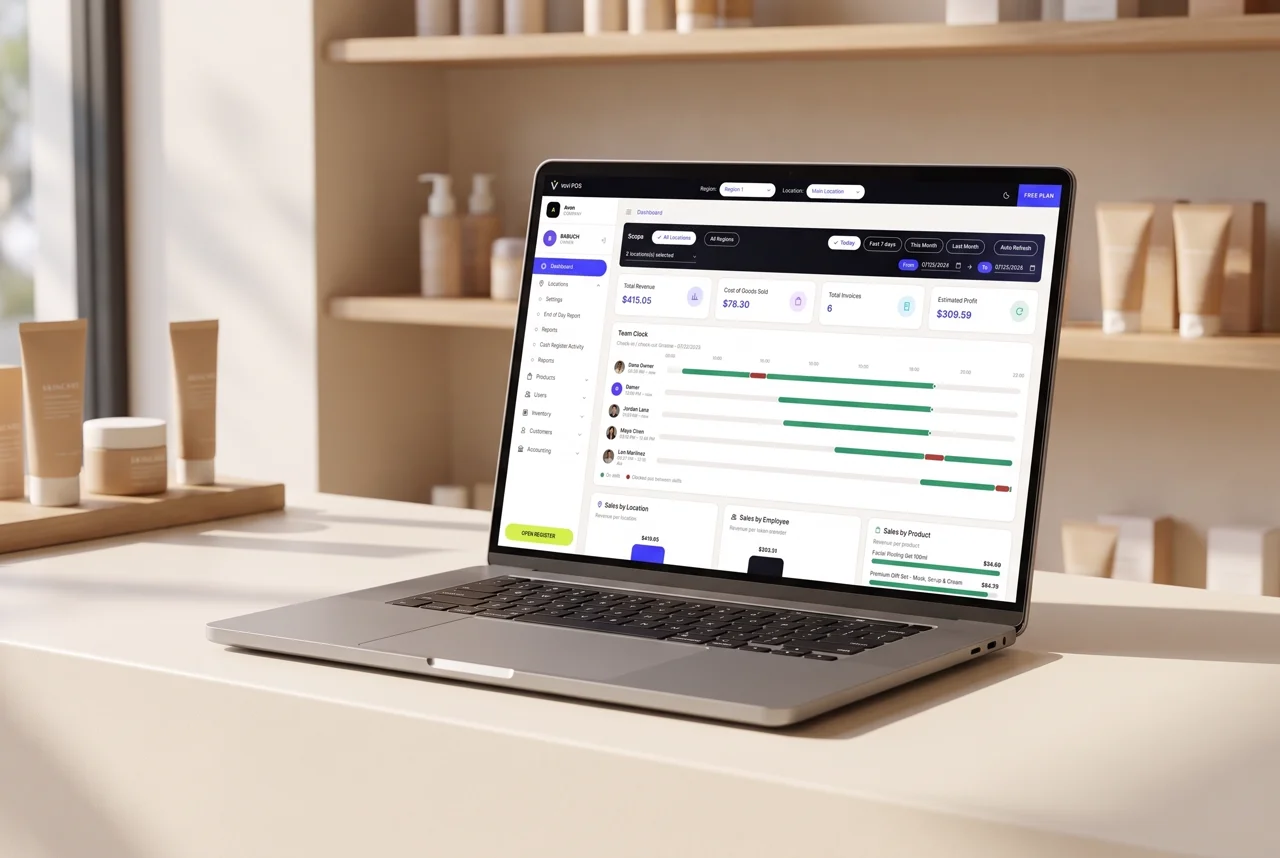
A laptop on a boutique counter showing the VoVi Back Office dashboard
The backoffice on any laptop — check the numbers from the shop floor.
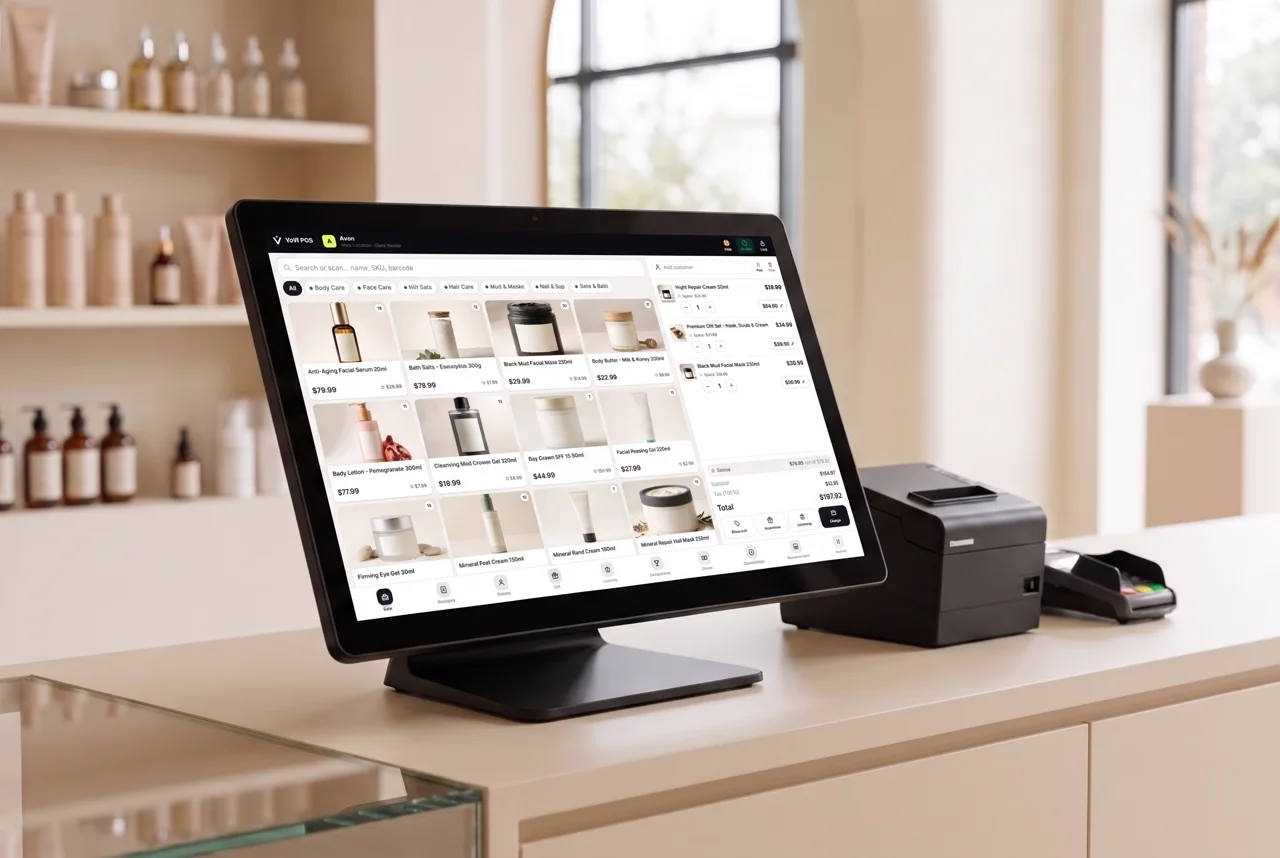
A countertop touchscreen POS terminal with receipt printer and card reader running VoVi
Or go full counter setup — touchscreen, receipt printer, card reader.

Why pay for a POS?

Most systems charge $99–$140 a month per location before you sell a thing. VoVi is $0.

What other POS systems charge

  • Software, per location$99–$140/mo
  • Card processing2.6–3.8% + ¢
  • Premium tiers & add-onsextra
  • Proprietary hardwarebuy or lease
  • Contractusually

Before you sell a thing$1,188–$1,680/yr

What VoVi charges

  • Software, every location$0
  • Card processing2.79% flat
  • American Express3.5% flat
  • Every feature, no tiers$0
  • Runs on the devices you own$0
  • Contractnone

Before you sell a thing$0/yr

Their rate starts where ours sits and climbs. Then the software bill lands on top — $4,680 a year across three locations.

About these numbers

Monthly software fees as published by common retail POS providers; processing rates vary by provider, card type and mix — the upper end reflects keyed, card-not-present and premium rewards cards — so treat the range as typical rather than a quote. VoVi's 2.79% is card-present, flat, interchange included.

Two ways to pay us. One of them is nothing

Same software behind both — every feature, every location, no tier to climb. The only question is who processes your cards — and if you already pay less than 2.79%, we match it.

Process with VoVi

$0/mo

+ 2.79% flat on Visa, Mastercard & Discover — or we match your rate

* American Express 3.5%

Already on a lower rate? Send a recent statement and we'll match it.

  • Every feature, every location, forever
  • Interchange already inside the 2.79%
  • Cash, check, gift card, store credit: free
  • No minimum. Slow month, small bill

Keep your own processor

$99/mo

per location — and we take no cut at all

  • Identical software, identical features
  • Your processing stays exactly where it is
  • No percentage of sales to VoVi
  • Switch between the two whenever

So what are you paying today?

Put your own numbers in. This counts software fees only — the part we delete.

3 locations

/month — that's the going rate

Comparing POS software fees only, using the numbers you enter above.

$390

back in your pocket / month

$4,680

every single year

That's real inventory, a competition prize pool, or just… profit.

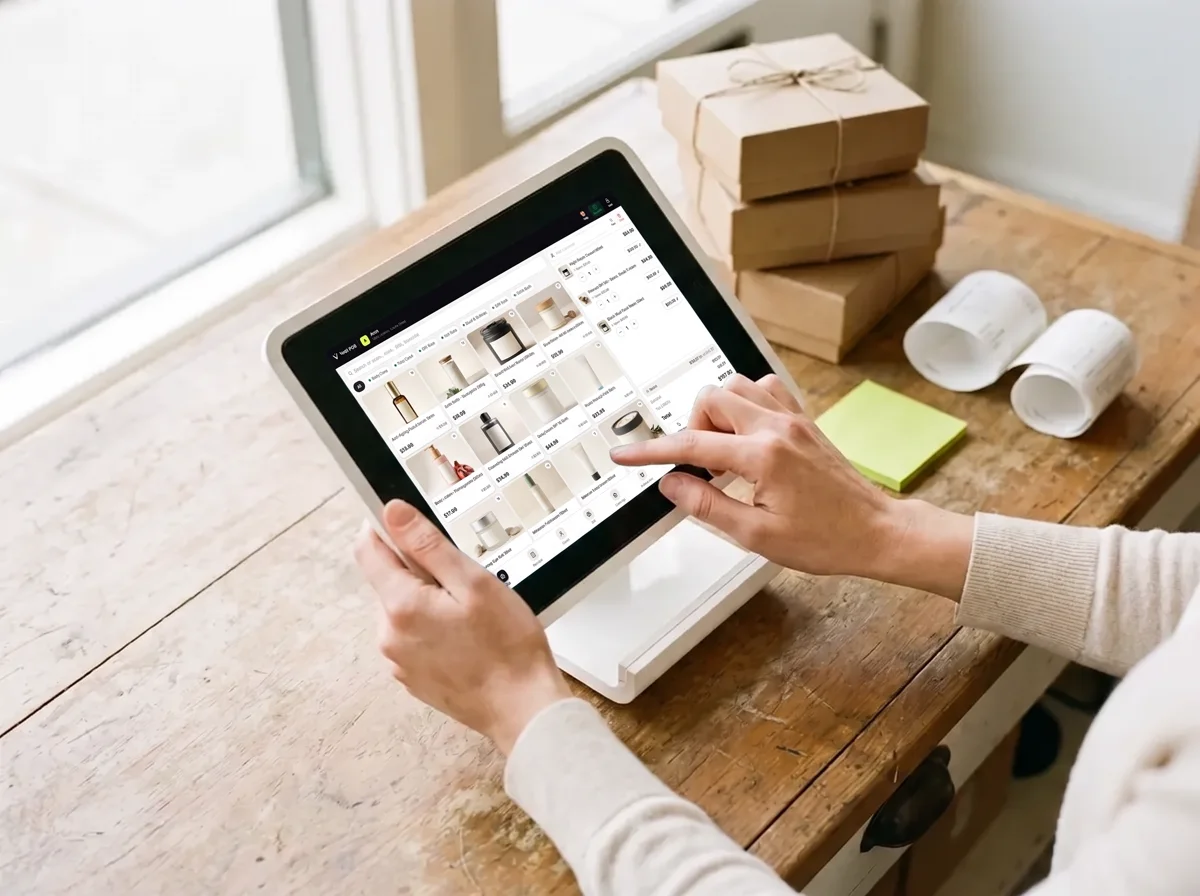
Hands tapping a tablet running the VoVi register on a wooden shop counter, gift boxes and a curled receipt beside it.

Any tablet becomes the register

No proprietary terminals, no hardware leases. VoVi runs in the browser on the devices you already own, installs to the home screen like an app, and keeps selling smoothly through a busy Saturday. Selling from a mall cart or kiosk? Here's how VoVi fits a small footprint.

  • Tablet, laptop or phoneevery screen is a full register with PIN unlock per seller
  • Owner-approved devices onlya new device sells nothing until an owner authorizes it
  • Everything in one placeregister, inventory, customers and reports — one system, live
  • And the gear you already havea barcode scanner works like a keyboard, no driver and no setup, and receipts go through the device's own printing — so any printer it already prints to will print one. Got specific kit? Book a check with us and we will test it with you before you commit to anything.

One system. Every screen you own

A fast register for whoever is on the floor, and a back office that answers to you. These are real screens from a live store, not mockups.

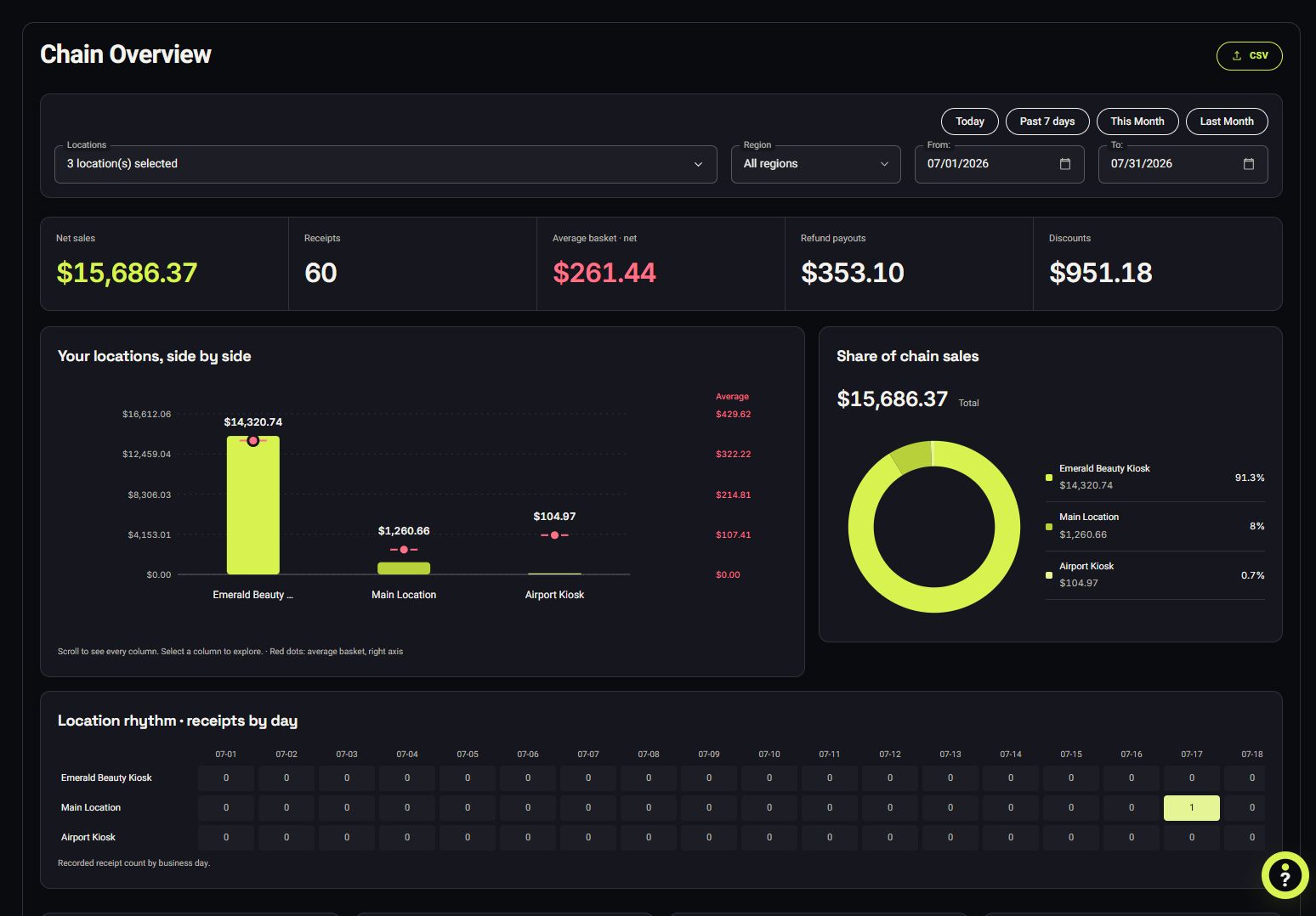
VoVi Back Office dashboard — live revenue, estimated profit, team clock and sales charts

Owner dashboard — sales, profit, locations, team

VoVi register sale screen — product grid, cart with three items, totals and charge button

Countertop register — checkout in seconds

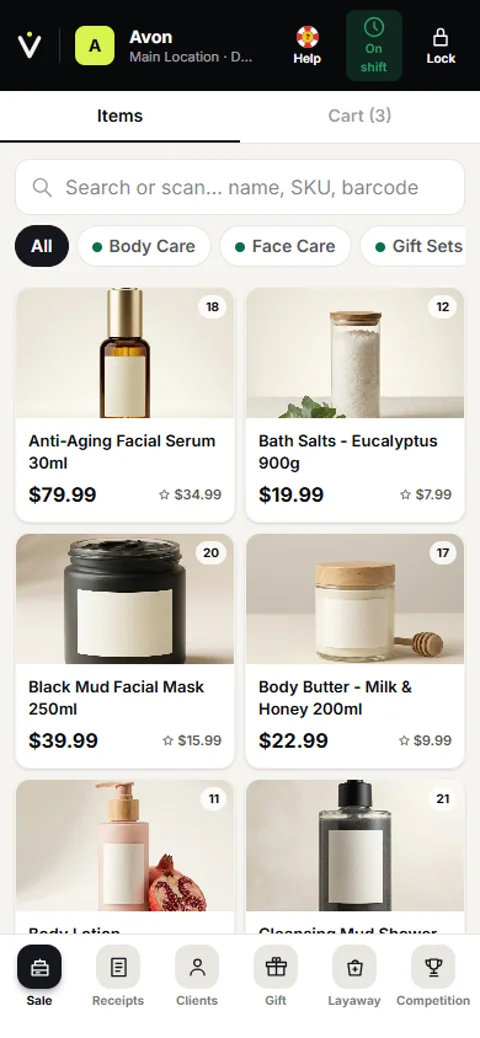
VoVi register on a phone — product grid with cart

Sell from your pocket

That's the real software. Dashboard, register and phone — captured from a live VoVi store.

Free doesn't mean stripped back

There's one version of VoVi and every store gets all of it — no locked tier, no "contact sales", nothing held back to sell you later. Tap More on anything you want the detail on.

Inventory Management

Every unit is a ledger entry, per location. Sold, counted, moved or written off — it balances.

More

Most retail inventory software gives you a number and asks you to trust it. VoVi gives you the trail behind the number: every sale, count, transfer, tester and loss is a dated line with the staff member's name on it. When the shelf and the screen disagree, you find out which one moved and when.

Minimums and maximums are set per product, per location, so the mall cart carries three and the flagship carries thirty. Daily counts take barcode scans, not a clipboard. Stock moves between stores in one step, or as a two-step shipment that sits in transit until the receiving store counts it in — so "it must be at the other shop" stops being an answer.

Unlike a traditional POS, none of this sits behind a Pro tier. No per-SKU cap, and no charge for a second stockroom.

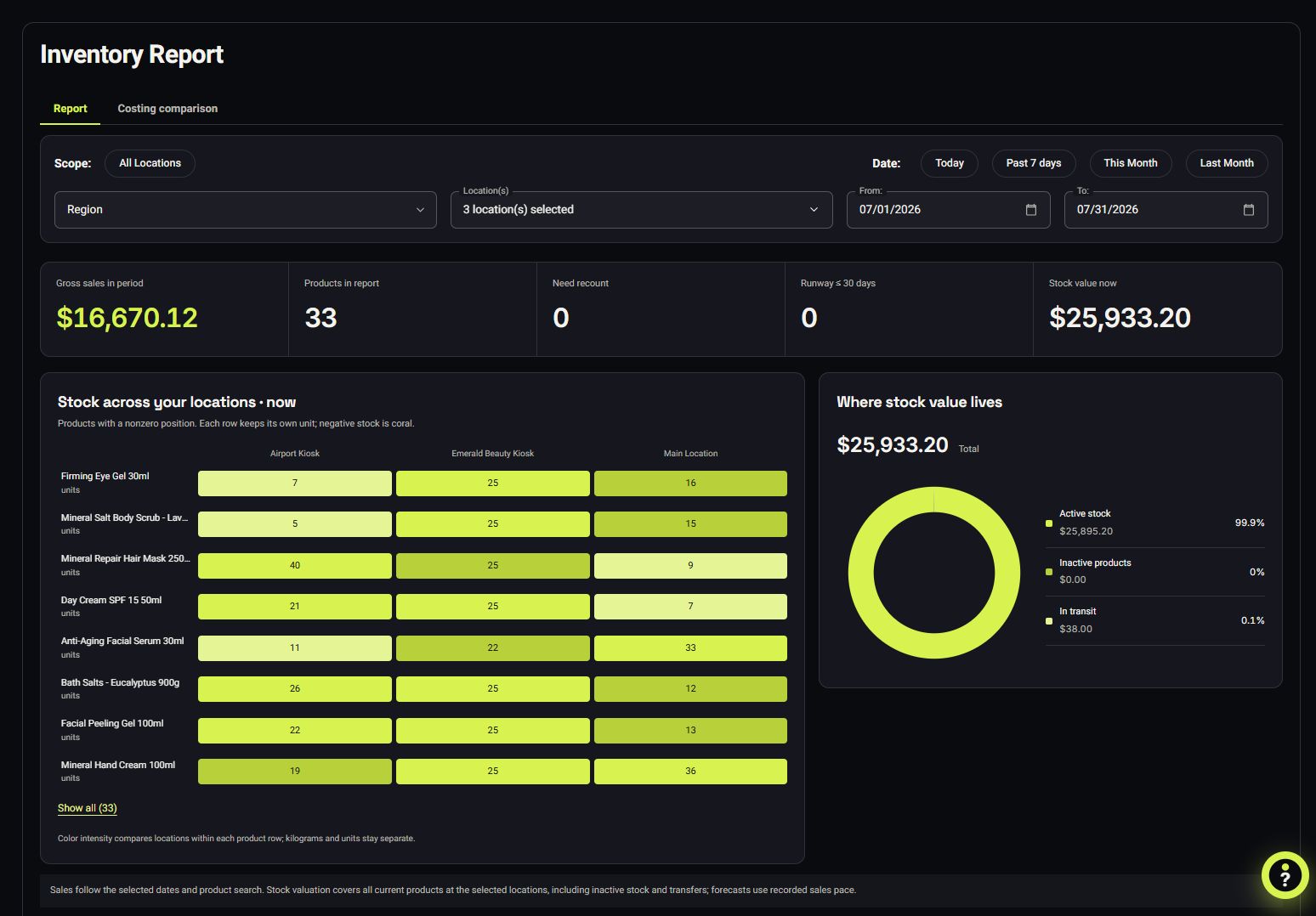
VoVi inventory report listing products with quantity sold, quantity on hand and cost of goods
Inventory report — sold against on-hand, per location

Live Reporting

Revenue, margin, best sellers and who sold them — live, from any phone, any location.

More

The dashboard opens on the four numbers that decide your week — revenue, cost of goods, invoices and estimated profit — then lets you cut them by location, region, seller, product or date without exporting anything. Every figure drills to the receipts underneath it.

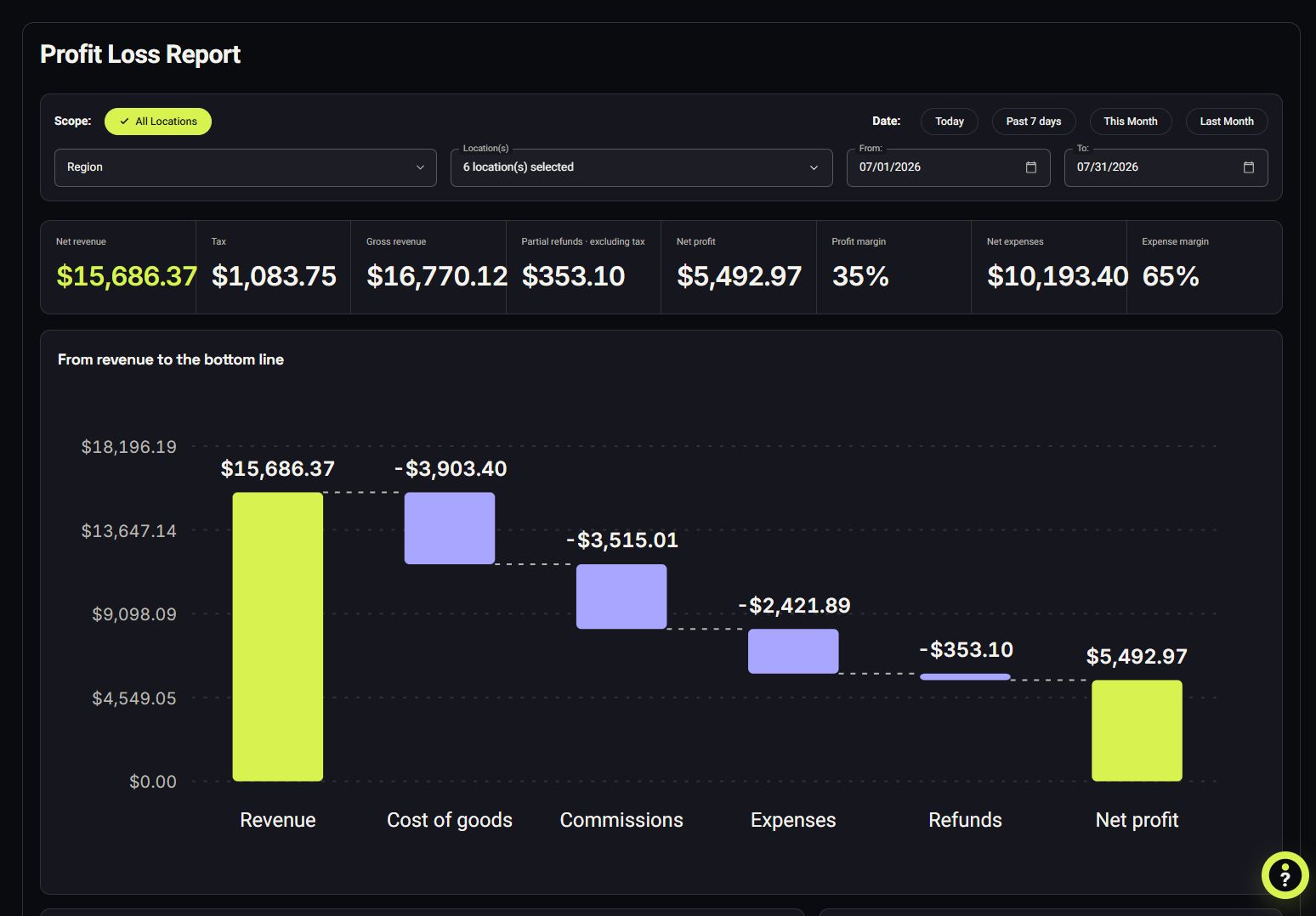
End-of-day ties the drawer to the sales. Profit and loss, expenses, refunds, voids and cash over/short live in the same place, so the story your accountant gets is the story that happened. Export any of it to CSV or Excel — your data is yours, always.

Unlike a traditional POS, real-time multi-location reporting isn't an analytics upsell. Same $0 plan.

VoVi dashboard showing total revenue, cost of goods sold, invoices and estimated profit for the month
Dashboard — the four numbers, live

Custom AI Reports New

Describe the report you want in plain words. VoVi builds it from your own numbers.

More

Open AI Report Studio from the back office and ask for what you actually want to know — "top twenty products by margin, per location, this month, with a trend line" — and it comes back as stat tiles, charts and sortable tables built from live data. Refine it in conversation, then save it: a saved report runs forever with fresh numbers, at no cost.

It obeys the same permissions as every other screen. A manager who is not allowed to see profit does not get a cost column by asking nicely — the report simply never contains one.

Unlike a traditional POS, a custom report is not a BI add-on, a consultant or an export to a spreadsheet. AI-built and edited reports are pooled at three a day per location; running a saved one is unlimited.

VoVi AI Report Studio showing a saved report: revenue, gross profit, margin and units as stat tiles, gross profit by store as a bar chart, and a sortable table of products ranked by profit
AI Report Studio — a saved report, rerun on today’s numbers

Purchase Orders

VoVi already knows what dropped below its minimum. It drafts the order; you send it.

More

Because every product carries a min and max per location, the shortfall is arithmetic rather than a guess. VoVi totals what's missing across the stores you pick, groups it by vendor and hands you a purchase order to review.

Receive against it and the stock lands on the right shelves at the right cost — so margin stays honest instead of drifting with whatever you paid last time. Partial deliveries are normal: receive what turned up, and the rest stays open on the order.

Unlike a traditional POS, low-stock alerts reach your phone the moment a count crosses the line, not in a weekly digest you read on Monday.

VoVi purchase order screen listing vendor, products, quantities and cost
Purchase order — drafted from what's missing

CRM & Loyalty

Profiles, purchase history and loyalty points that build at the register, automatically.

More

Attach a customer to a sale in one tap and their history follows them: what they bought, what they returned, what they're still paying off, what store credit they hold. The seller sees it before the conversation starts — the difference between "can I help you" and "the serum you bought in March, ready for another?".

Loyalty runs on the same records. Points accrue per dollar as sales complete and redeem straight against a future basket; you set the earn rate and what a point is worth. No separate app for your customer to install, no second subscription for you.

Unlike a traditional POS, the CRM and the loyalty program aren't two more line items on the invoice. They're in the box.

VoVi customer record showing contact details, loyalty points, store credit and purchase history
Customer record — history, points and credit

Payments & Layaway

Card, cash, check, gift card, store credit, split tender, layaway. All standard.

More

Sell and redeem gift cards, issue store credit instead of a refund, split one basket across two tenders, or hold an item on layaway with a deposit and collect the rest later — with the balance tracked against the customer, not a note under the till.

Cash is handled like money that goes missing: opening float, pay-ins, pay-outs, blind counts and an over/short figure per shift that ties to the end-of-day report.

Unlike a traditional POS, cash, check, gift card and store-credit sales cost you nothing at all — we only earn when a card is involved, at a flat 2.79% on Visa, Mastercard and Discover (American Express 3.5%).

VoVi checkout showing tender options including card, cash, check, gift card and store credit
Checkout — every tender on one screen

Offline Mode

The catalog lives on the register, so a dead connection doesn't close the store.

More

Mall wifi fails, and it always fails on the busiest afternoon. VoVi keeps your products, prices and categories on the device itself, so search and barcode scanning stay instant with the connection down — and the register says plainly that it's offline instead of spinning at a queue of customers.

We're honest about the boundary: the offline register is rolling out in stages, and card payments always need a connection because the bank does. Everything already shipped is live on your account the day it lands, at no extra cost.

Unlike a traditional POS, you don't buy a "hybrid" tier to get this.

The VoVi register showing its offline banner while the product grid stays fully usable
The register, offline — still selling

Sales Competitions

Set a contest in the back office; every register shows the live standings and the prize.

More

Pick the goal and the prize, and the leaderboard updates from real sales as they ring — every seller sees where they stand without anybody keeping score on a whiteboard. Sales are attributed to the person who made them, so the standings are the same numbers commission and payroll use.

Unlike a traditional POS, this is not a gamification add-on with its own login. It is the register, showing your people the race they are already in.

The VoVi register’s competition panel showing a podium, the prize on offer, and every seller ranked by their sales for the month
The register’s podium — live standings, and the prize

Staff Commissions

Every sale is attributed to who sold it. Commission computes as you ring; payroll reads the same numbers.

More

Splits between two sellers, stepped rates that climb as the day goes, retro bonuses when a threshold is crossed, and the spare — negotiation room — a seller can spend or keep. All of it is computed on the receipt itself, so a commission figure always points back to the sale that earned it.

Payroll exports read those same receipts. There is no Sunday-night spreadsheet, and no argument at month end about who sold what. How commission tracking works in VoVi.

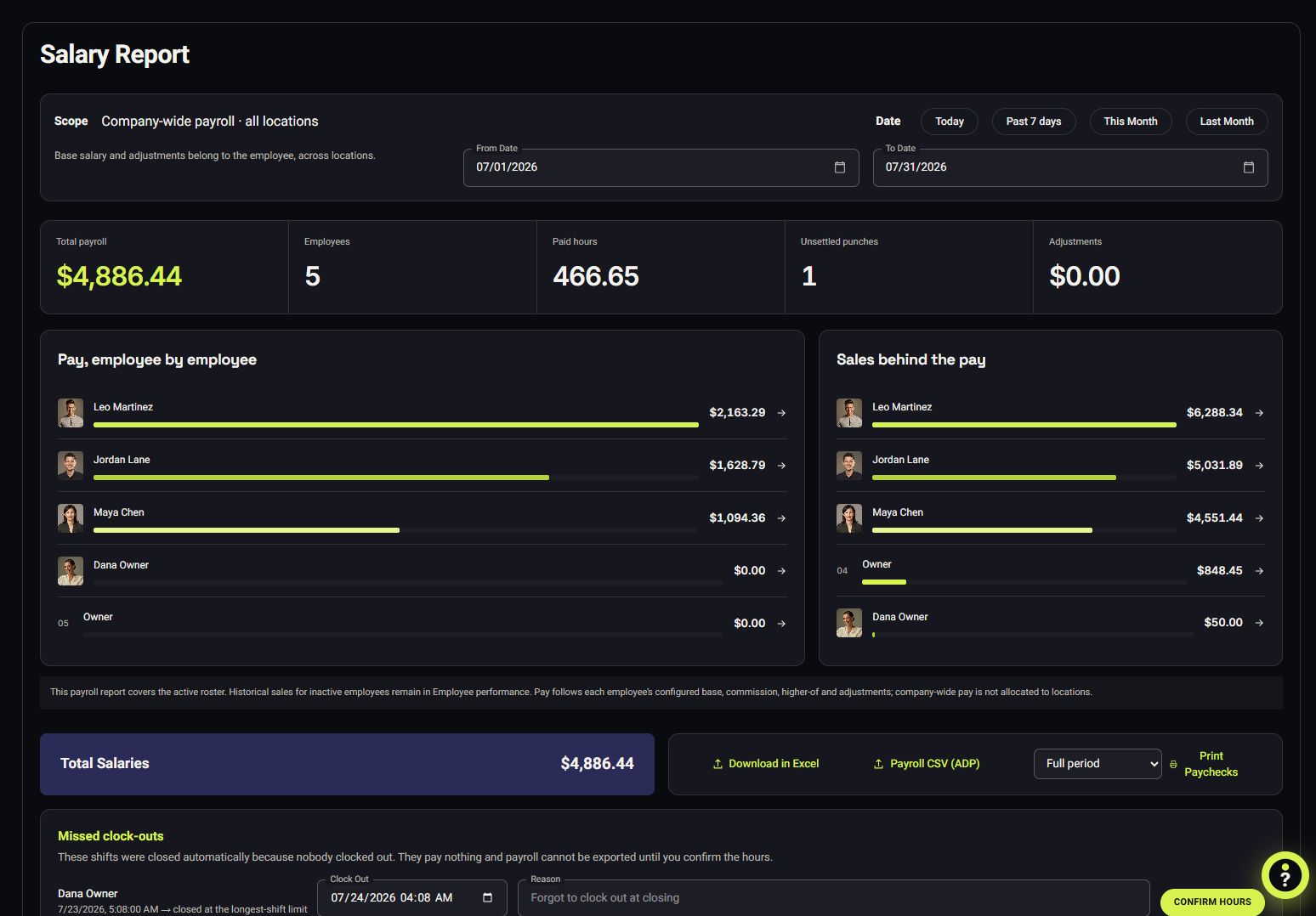
VoVi salary report listing every employee with their total sales and refunds, average sale, commission, tips and spare, total salary and hours worked
Payroll — sales, commission, spare and hours, per seller

Alerts

Low stock, a big discount, a drawer that comes up short — you hear about it as it happens, not at month end.

More

Choose what matters in the back office and it arrives as a notification instead of a line in a report you would have read next week. Loss-prevention exceptions — an unusual drawer variance, discounting that stands out against the team — surface the same way, with the receipt behind them one tap away, so you can act rather than just read.

Unlike a traditional POS, alerts are not a premium tier. They are the register telling its owner what it noticed.

The VoVi alerts list showing a cash drawer short on the day, a big sale, an employee whose discount rate crossed the level the owner set, and a product that hit its minimum
The day’s alerts, newest first

Time Clock

Clock in at the register, see who's on the floor, and pay from the same hours.

More

Staff clock in and out on the register itself with their own credentials — no separate terminal, no app to install, no paper sheet to lose. The back office shows a live who's at work and a timeline of the day, so "was Jordan actually in at ten?" is a glance, not an argument.

Those hours are the same hours the salary report pays from, sitting next to each seller's sales and accrued commission. One number, one source — instead of a rota in one place, a timesheet in another and commission worked out on a Sunday night.

Unlike a traditional POS, time tracking and commission aren't a workforce add-on with its own monthly fee. They're part of the free plan.

VoVi team clock timeline showing check-in and check-out times for staff across the day
Team clock — the day, per person

Buy Now, Pay Later

Split a basket into instalments at the counter. In build — layaway does the job today.

More

Straight answer: BNPL is not live yet. We won't show you a screenshot of something we haven't built. It's in development, and like every other feature on this page it will land on the free plan at no extra cost — no tier, no activation fee.

What ships today is layaway, which solves the same problem from the other end: the customer pays a deposit, you hold the goods, the balance is tracked against their record and collected over as many payments as it takes. Their history, store credit and loyalty points all sit on the same customer, so the balance is never a note under the till.

The difference is who holds the item while it's being paid off. When BNPL lands, that choice becomes yours.

VoVi layaway list showing customers, deposit paid and outstanding balance
Layaway today — deposit down, balance tracked

Selling by this afternoon

No implementation project. No consultant. No six-week onboarding you pay for twice.

  1. Tell us about your store

    Leave your name and number above. We set up your company, your locations and your team on a call — you never sit alone in a settings screen.

  2. Price them once

    Type products in or import a CSV. Set retail, minimum and spare — and from that moment your margin is protected on every negotiation.

  3. Open the register

    Any tablet or phone becomes a till. Visa, Mastercard & Discover at 2.79% flat, American Express 3.5%, cash for nothing, and the dashboard moving before you have left the parking lot.

The catch? There isn't one

Is it actually free? What's the trick?
The software is $0/month — every feature, every location. We make money one way: a flat 2.79% on Visa, Mastercard and Discover — American Express is 3.5% — when you process a card payment through VoVi. Already pay less than that? We match your rate. You sell, we earn. You don't, we don't. That's the whole business model — more on how free POS pricing works.
What exactly does the 2.79% cover?
Card-present payments processed through VoVi on Visa, Mastercard and Discover: 2.79% flat, with American Express at 3.5% — already including the interchange and network fees other providers itemize into confusion. Cash, check, gift-card and store-credit sales cost you nothing.
What if I already pay less than 2.79%?
Then we match it. Send a recent processing statement and we'll match your current effective rate on card-present Visa, Mastercard and Discover — the real rate you pay once your provider's monthly, statement and per-transaction fees are counted, not the headline number on the first page. Most statements come in higher than the owner expects. American Express stays at 3.5%, and the software stays $0 a month either way.
Can I keep my own card processor?
Yes. If you'd rather process through your existing provider, VoVi is a flat $99/month per location — every feature included, no percentage to us. Most stores save more on the free plan, at 2.79% on Visa, Mastercard and Discover and 3.5% on American Express. Switch between the two whenever you like.
Do I need to buy hardware?
No. VoVi runs in the browser on any tablet, laptop or phone you already own, and installs to the home screen like an app. Most of the gear around a counter comes along too: a barcode scanner works like a keyboard, and receipts print through the device to any printer it already prints to. We don't claim a certified device list, so if you have specific kit, book a check with us and we'll test it with you before you commit. You'll need a supported card reader for card payments — we'll help you pick one during onboarding.
Is there a contract?
No contracts, no cancellation fees, no minimums. Your data is yours and exports to CSV any time.
Where is VoVi available?
We're launching in the United States first. Elsewhere? Leave your number anyway — the international waitlist is real and we read it.
What do you do with my details when I join the list?
We use them for one thing: contacting you about VoVi. We don't sell personal information, we don't run ad trackers on this site, and you can ask us to delete your details at any time — the whole story is in our Privacy Policy.
I have more than a few locations. Does free still apply?
Especially then — that's where the savings get absurd. If you run 20+ locations, call us and we'll plan your rollout together (and yes, the software is still $0/month).

Stop paying rent on your register.

Join the beta list — it takes 20 seconds, and it could save you thousands a year.

Get early access